
Back in the day, in order to get Facebook freebies, you used to be forced to like a company's page or profile. However, what happens after signing up? The company hopes you'll move along on your merry way and forget all about unliking them or deleting the application. But that's not how we Hiffers roll.
Make A Dummy Account
First off, people complain about having to like a company. I understand that, as I don't really like Emergen-C or Burt's Bees enough to “like” them on my personal Facebook account. So you know what I did? I used my freebie email address to make a second, fake Facebook account. I didn't add any friends to it, I used a fake name, and I snagged a computer generated human face to use as my profile image. It's what I suggest people do and I've had no trouble with it so far.
View All Your Pages & Easily Dislike
One of the big problems now is it's hard to see all of the pages you like. But not impossible.
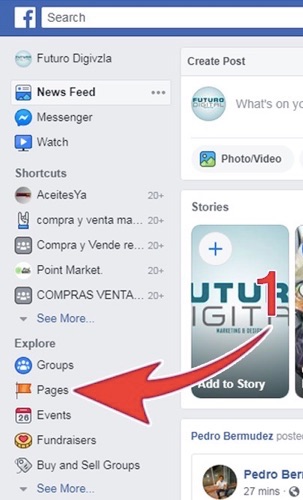
The first step is going to your Facebook homepage and clicking “Pages” on the left sidebar.
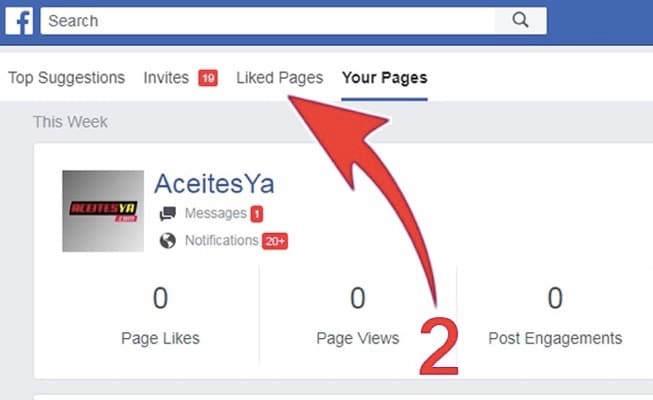
Now click the “Liked Pages” link near the top.
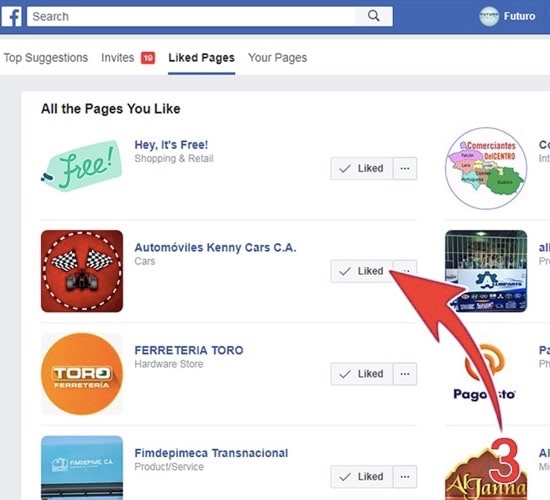
Now you can see every page you've liked and quickly bulk unlike any you want.
Unlike A Single Facebook Page
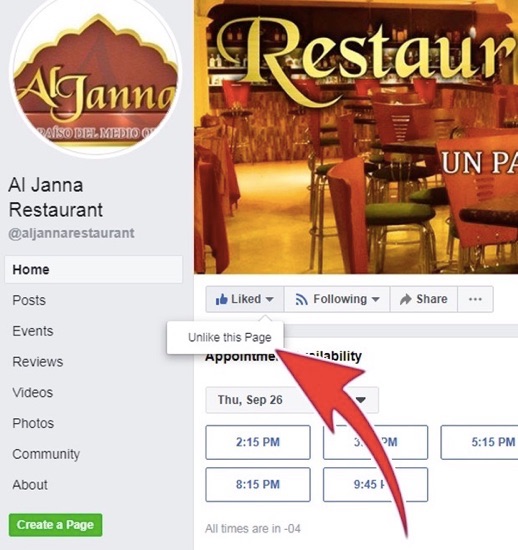
But let's say you've already liked a certain page and want to just take care of it. If that's the case, go any specific page that you want to unlike.
Once there, look for a box near the top left that says “Liked” with a thumbs up. Hover over it and you'll be able to unlike that page. You will no longer like the Facebook page and it won't show up in your news feed or on your profile.
Delete A Facebook Application
Now what about those apps that want to access your Facebook info or post info on your own wall? To delete those, go to the top right of any page and click the down arrow, then “Settings.”
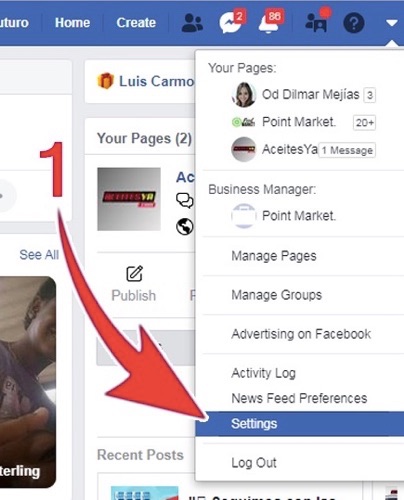
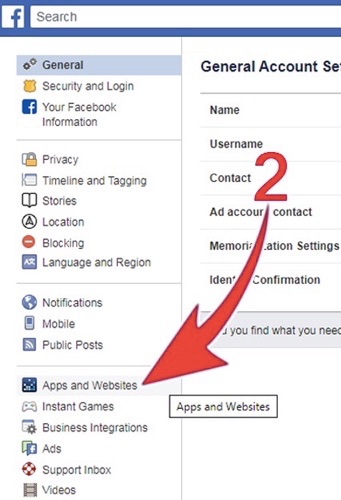
Once this page loads, you'll want to look on the left sidebar for “Apps and Websites.”
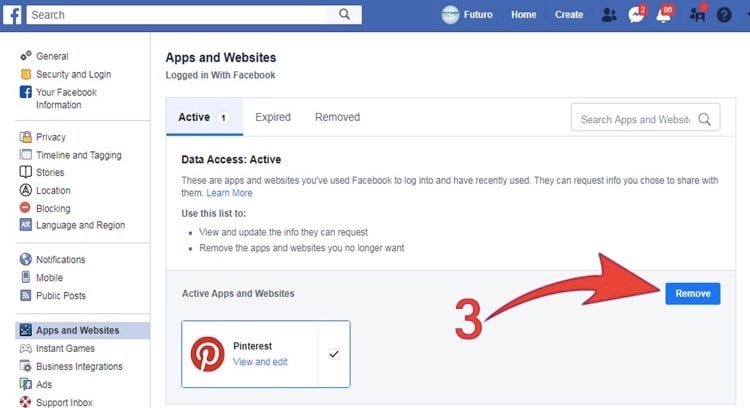
Now you'll see a bunch of apps that you previously added to your account. Select the check box next to any you want to remove, then click the blue “Remove” button!
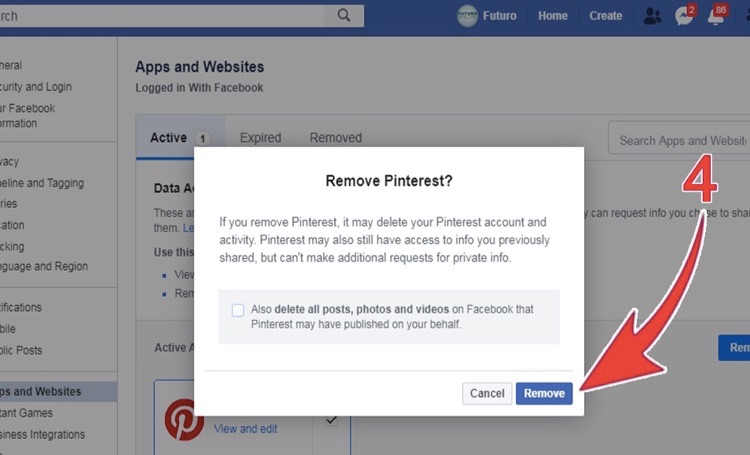
This will bring up a final confirmation screen. Here, you can also delete any changes the app made to your Facebook profile for you.
And that should do it. Hopefully this helps a few Hiffers out there in cleaning up their Facebook accounts while also still being able to get Facebook freebies.
Remember, if you make a Facebook account only for freebies, like I suggested earlier, then there's no real reason to Unlike or delete any of the profile apps as there isn't any information for them to access in the first place!
Questions? Comments? Insults? Fire away in the comments below.
